
A structured reporting workflow
Each form follows an ordered pathway based on the reference guidelines: no superfluous steps, and no free typing where a selection will do.
Content revision v1.5.6 · IT source v1.5.6
VascularReport brings together four areas for vascular diagnostics: an ECD reporting program, clinical calculators, educational material and links to key national and international guidelines. The educational resources and calculators are part of a not-for-profit FOAMed project. Reports and patient data remain on your device; if you wish, an encrypted backup goes straight to your own Google Drive, to share the archive between the computers where you sign in with the same account.
Each form follows an ordered pathway based on the reference criteria and classifications, for consistent and structured reporting.
Carotid and vertebral arteries with stenosis grading according to the SRU 2003 criteria and automatic commentary on the findings.
Segment-by-segment assessment of the aorto-iliac, femoropopliteal and distal arteries, with the degree of atheromatous disease and dedicated conclusions.
Deep and superficial systems, CEAP classification and recommended treatment (venoactive drugs and compression stockings).
A rapid combined report covering both circulations of the lower limbs in a single form.
Bilateral assessment of the upper limbs, with a rapid check of any haemodialysis arteriovenous fistula (AVF).
Aorta, iliac, renal and visceral arteries: stenosis and aneurysm thresholds based on Doppler criteria, with an overall atherosclerotic picture.
For examinations outside the predefined forms, with the same options for patient details, signature, archive, printing and export.
Every feature serves one of the three aims of the project: ease of use, a structured reporting workflow, and confidentiality of the data.
Each form follows an ordered pathway based on the reference guidelines: no superfluous steps, and no free typing where a selection will do.
From Settings ▸ Phrases you can rewrite the standard text of every report: the application adapts to your style, not the other way round.
Patient details are entered once and apply to every form; date of birth and sex are derived automatically from the Italian tax code.
Based on the findings entered, the report proposes conclusions, follow-up intervals and treatment suggestions (antiplatelet agent, statin, venoactive drug, compression stocking).
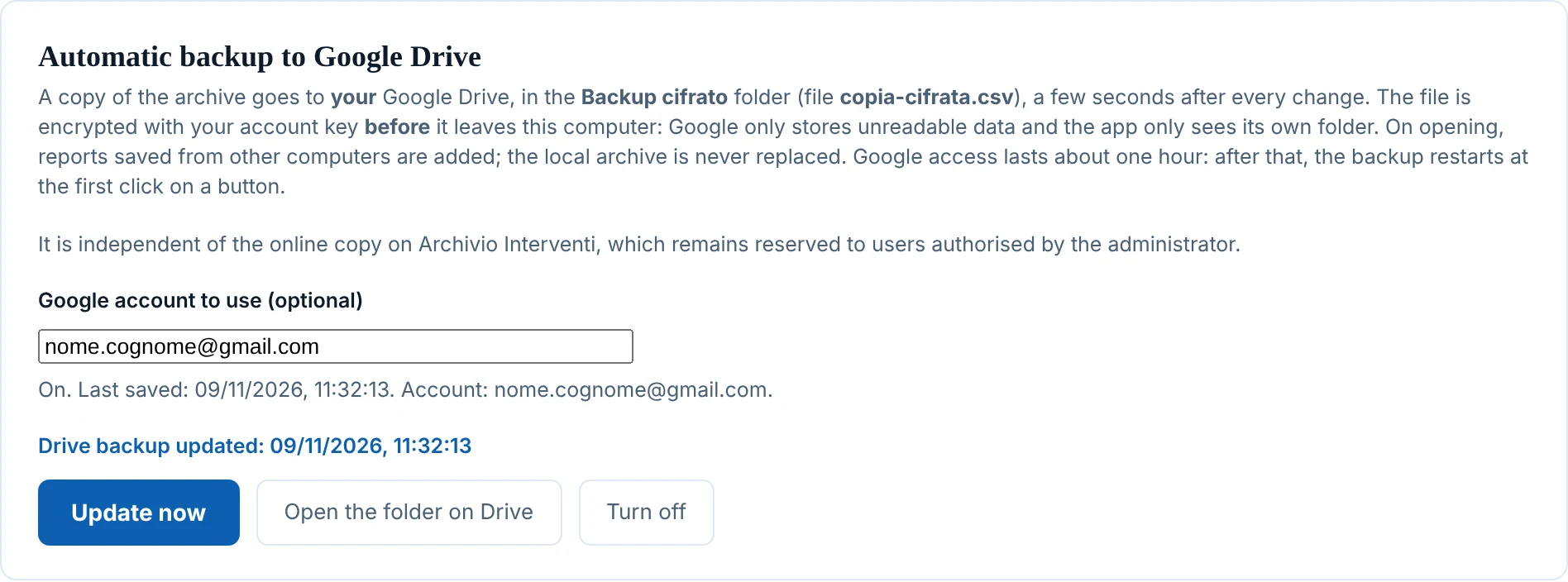
Every report is stored on your own computer, searchable by patient or date, can be reopened for editing and saved to a CSV backup file. An optional backup to your own Google Drive, encrypted before it leaves the computer, keeps the same archive on every computer where you sign in with your account: no patient data passes through VascularReport's servers.
One click and the report is ready: copied to the clipboard, printed with a dedicated layout, or saved as a text file.
The workflow is the same for every form. The step-by-step guide describes it in detail.
Enter surname, first name and tax code in the shared panel at the top.
Open the form matching the examination performed.
Select the parameters from the menus: velocities, stenoses, reflux, morphology.
The full text appears in the preview: copy, print, save or archive it.
If you report at more than one site, you can find the same reports on every computer where you sign in with your personal account. The archive travels through your own Google Drive, never through VascularReport's servers.
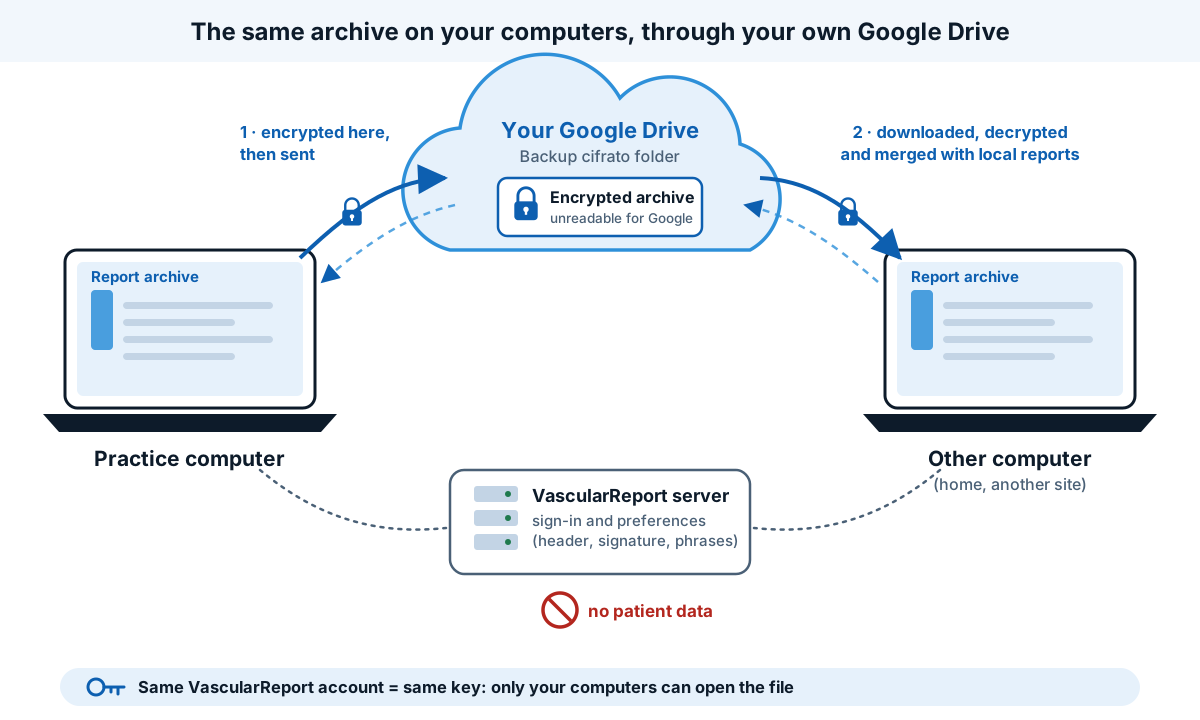
It is optional: without it, the archive stays only on the computer, as always. For the patient data of your practice you remain the data controller: decide whether using Google Drive suits your work.
Open the application, or read the step-by-step guide first.